
Transcription Search
Overview
When the account level option to transcribe voice messages and call recordings is enabled, the Transaction Search screen will list calls with either transcribed voice messages or call recordings allowing you to search the transcribed text for specific phrases of interest.
How to Search
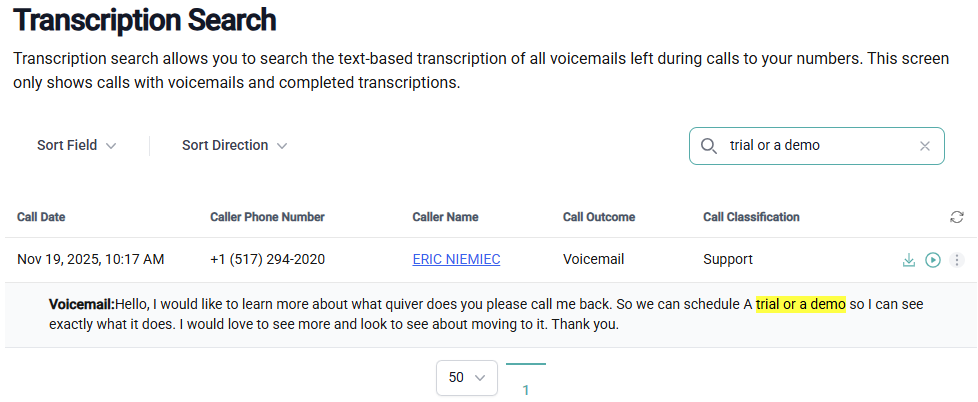
Searching for specific key words or phrases is performed by entering what you are looking for in the search box at the top right corner of the calls grid. If the key word or phrase is found, the grid will limit the results to only calls where that text was found and will highlight the found text in yellow.
Listen to or Download Recordings
To listen to the recording, click on the play icon on the right side of the row, to download the physical recording to your device, click on the download icon.
View Callers Timeline
You can view a timeline of all the calls made by a specifical caller by clicking on the caller's name in the grid, or on View Caller's Timeline from the ellipse menu on the row.