
How to Block Phone Numbers or Callers
Overview
There are times when you will want to block a specific phone number or caller from calling your system for one reason or another. This could be a robo-caller that keeps calling, a problem customer that won't take no for an answer and won't leave you alone, or someone who is just being annoying and trying to run up your phone bill and waster your precious time and resources.
It is also possible for the system to detect abusive phone number or caller patterns and implement and auto-block on that number or caller.
How to Block a Phone Number
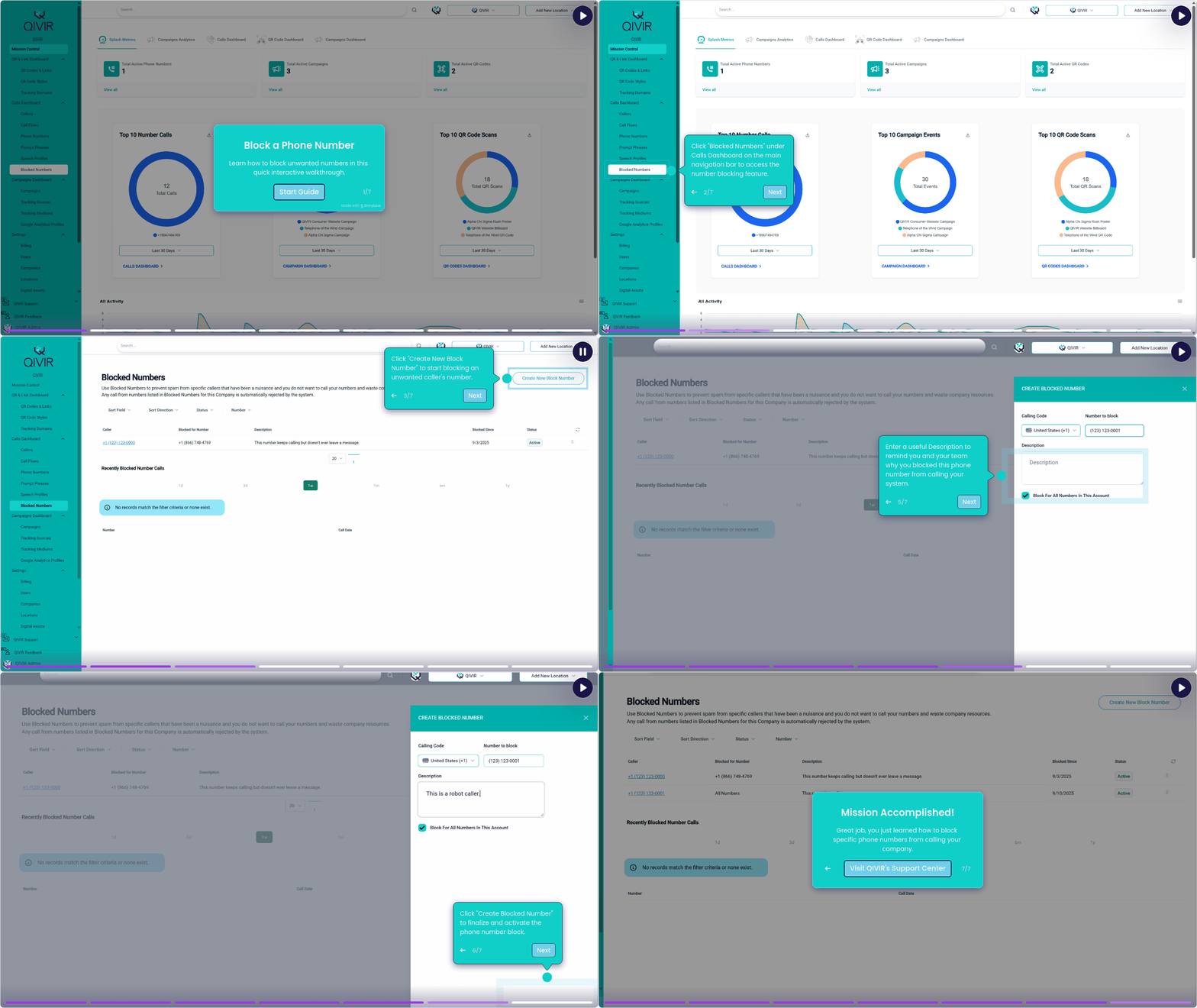
Blocking a known problem phone number is straight forward and can be accomplished by following these steps:
Navigate to the Blocked Numbers node under the Calls Dashboard in the main navigation bar.
Click on the Create New Block Number button in the upper right.
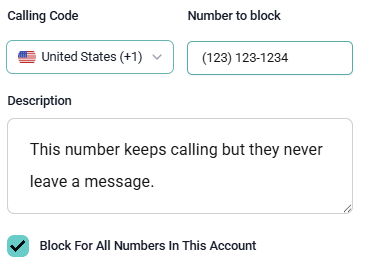
Enter the Number to Block.
Enter a useful Description of the number you are blocking so you remember why this number was blocked in the first place.
You can choose to block the phone number for all numbers you have in your account, or only for a specific number in your account.
Check the Block For All Numbers in This Account
Or, select a number from the list that you don't want the blocked number calling anymore.
Click the Create Blocked Number button in the lower right.
Watch this quick guide on how to perform this operation.
How to Block a Caller
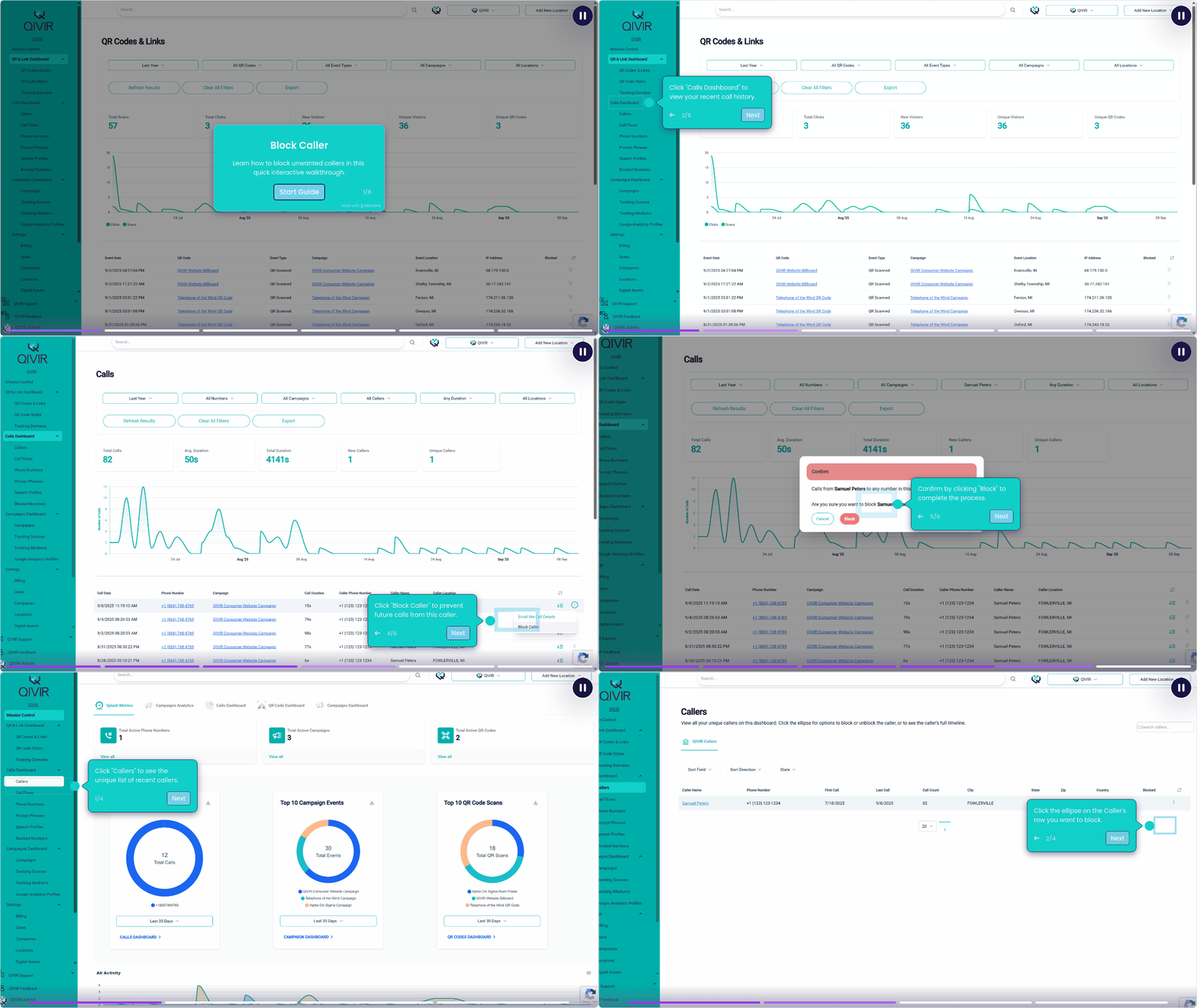
Blocking a Caller is even easier and can be done by following these steps.
From the Call Dashboard:
Navigate to Calls Dashboard on the main navigation bar.
In the Calls grid, click the ellipse on the right side of the Caller's Call you want to block.
Select Block Caller from the menu.
Select Block on the confirmation dialog.
From Callers screen:
Navigate to Callers under Calls Dashboard on the main navigation bar.
In the Callers grid, click the ellipse on the right side of the Caller you want to block.
Select Block Caller from the menu.
Select Block on the confirmation dialog.
Watch this quick guide on how to perform these operations.
Automatic System Blocked Numbers
The QIVIR platform has algorithms that may automatically block phone numbers and callers that appear to be artificially running up campaign engagement numbers or appear to be activity from hackers. Based on certain patterns, a system blocked number may be added to your configuration.
Conclusion
Blocking specific known phone numbers or callers is easy to accomplish on the QIVIR platform and should be done for any number or caller that abuses your valuable company resources and time.